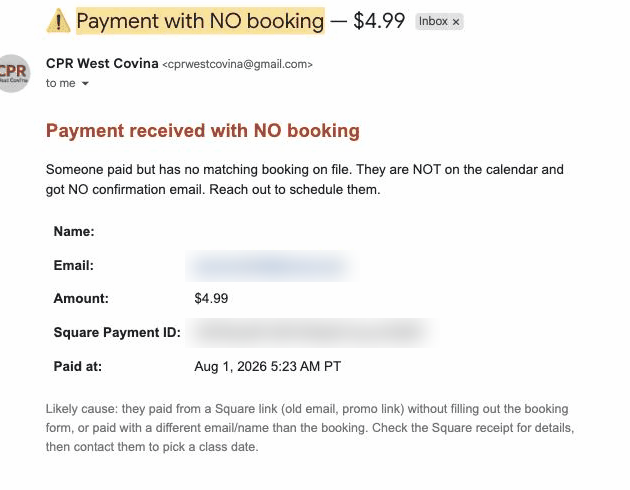
01What exactly is an orphan payment?+
A completed charge in your payment processor with no booking attached to it. The money arrived, the class did not get scheduled, and nobody was told. Without something watching for it, you find out when the customer contacts you.
02Do I have to switch to a different payment processor?+
No. You keep your own Square or Stripe and funds settle directly to you. We read payment events from the processor you already use. Nothing routes through us.
03How fast does the orphan alert fire?+
Within minutes of the charge, because the check runs against payment events as they arrive rather than on a nightly batch. Speed is the entire point of the alert.
04What if the student paid a different amount than the class price?+
It still matches on the other signals, email, phone, timing, and course, and flags the amount difference for you. Partial payments, deposits, and old prices are common and should not break matching.
05Can it catch the opposite problem, a booking with no payment?+
Yes, and it is the same daily reconciliation. An unpaid held seat is lost inventory, and it also feeds the abandoned-checkout recovery sequence.
06Does this handle phone bookings taken manually?+
Yes. A payment link you send by hand still produces a charge, and that charge gets matched or flagged like any other. Manual payments are one of the most common sources of orphans.
07When does the owner get notified about a new booking?+
At intake, when the booking is created, not at payment. That way a student who starts booking and stalls is visible to you as a live lead instead of never existing.
08What happens to an orphan once I attach it?+
The seat is held, the confirmation email goes to the student, the calendar event is written, and the record enters the renewal cycle with its expiry stamped, exactly as if it had matched on the first pass.